
So, I’m old school when it comes to plotting in R. Instead of relying on ggplot, I actually enjoy working with base R. I like the level of customization and, at the end of the day, I’m a bit nostalgic for the “old way” of doing things. To that end I wanted to post a quick note about how one can use base R to generate a barplot from scratch.
So, let’s say you’d like to display two bars, side-by-side, and chose custom colors (from the RColorBrewer package). One way you could go about doing it would be like so.
rm(list=ls())


require(RColorBrewer)

##

## Create custom barplot#

##


par(xpd=NA)

par(lwd=3)


# just in case you want to visualize a few color options

display.brewer.pal(9,name = "Blues")

display.brewer.pal(9,name = "YlOrRd")


# define barplot colors

col.blu1 <- brewer.pal(9,"Blues")[3]

col.blu2 <- brewer.pal(9,"Blues")[9]


# make your plot

par(lwd=3)

barp <- barplot(c(13, NA, 15),

                ylim=c(1, 35),

                names.arg = c("Bar 1", NA , "Bar 2"),

                col= c(col.blu1, NA, col.blu2),

                ylab = "Insert Y-axis label here")

text(barp, y = c(14.5, 0, 16.5), labels=c(13,NA, 15), font = 2, cex = 1.3)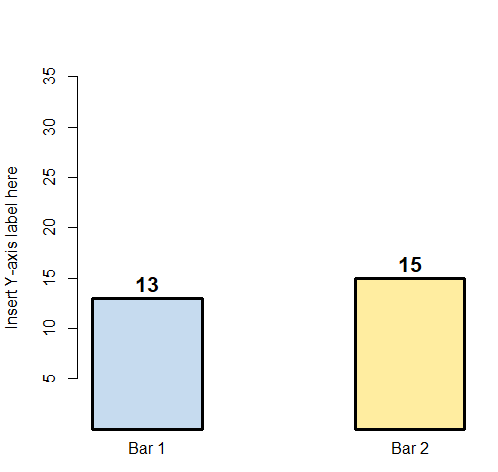
 failuretoconverge